Omni Reference Sheets · v3
Seedance Omni Reference Sheet v3
Turn one idea into a cinematic AI video blueprint.
Pick a 5, 10, or 15-second template, fill it with your idea and references, then upload the completed sheet to Seedance / Dreamina Omni Mode. The sheet becomes the production plan, so the prompt can stay short.
5s / 10s / 15s16:9 + 9:16Seedance 2.0 OmniCreator-friendly
Best for creators who want reliable scene planning without building a complex manual control stack.
What is an Omni Reference Sheet?
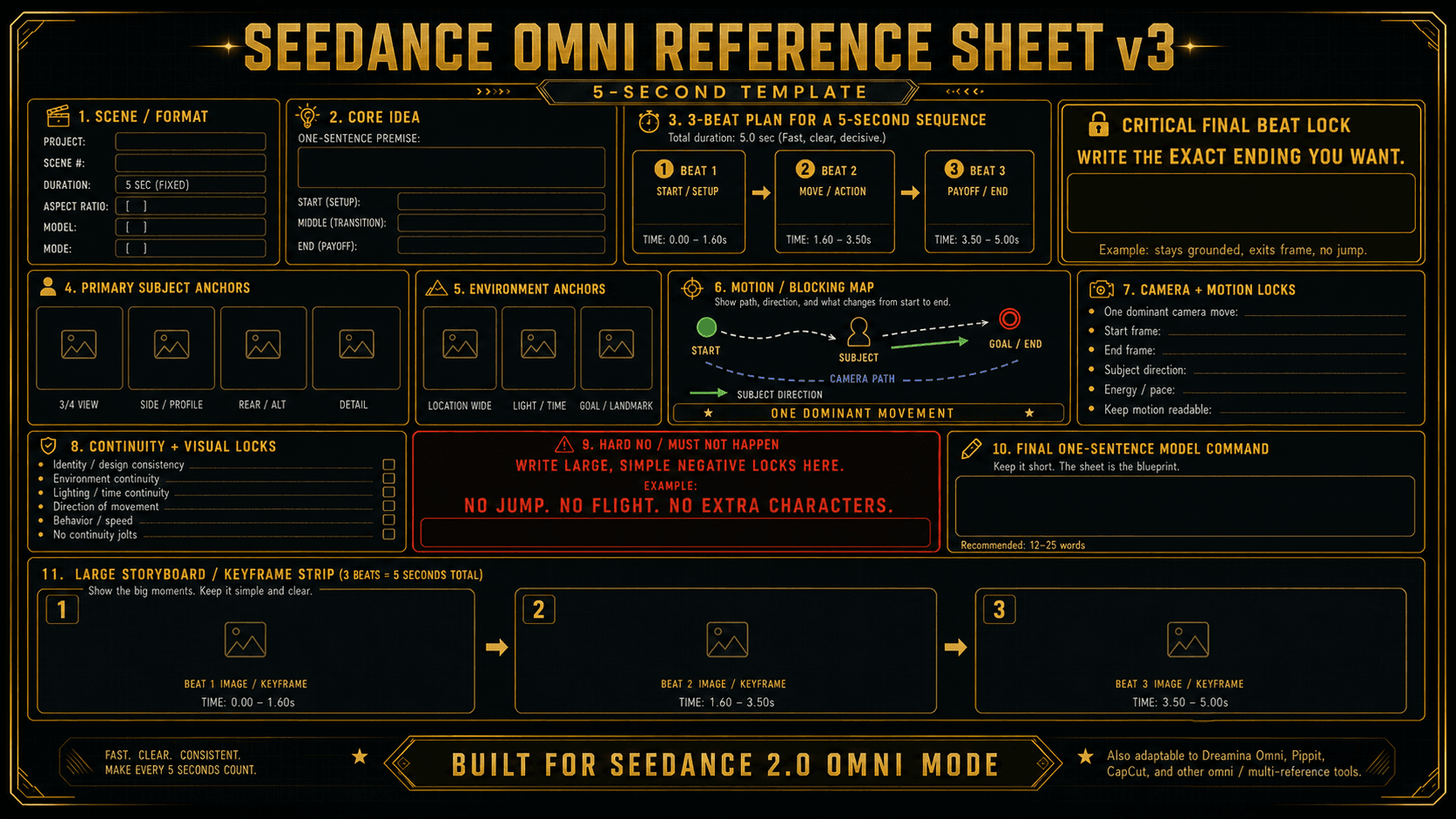
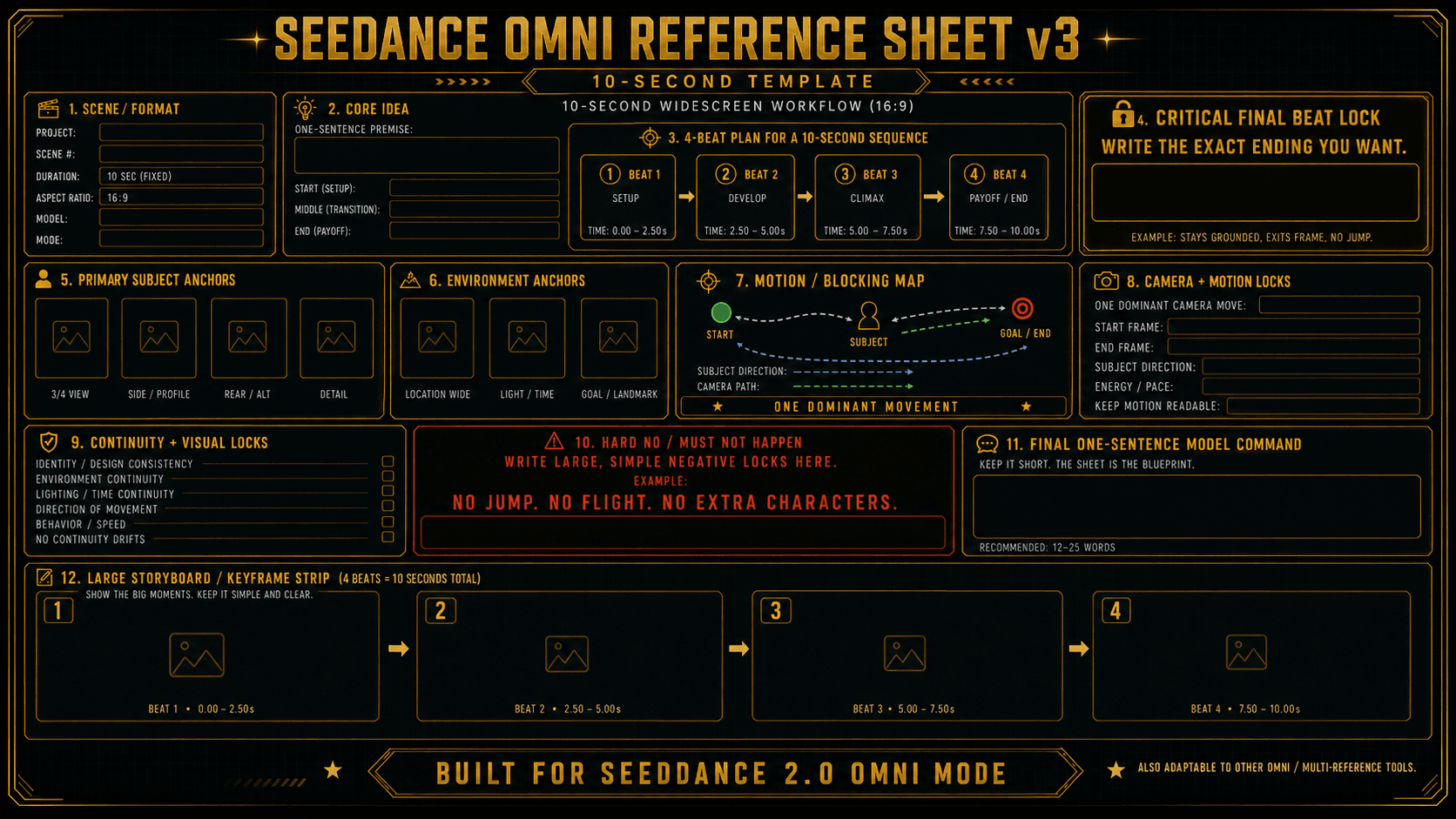
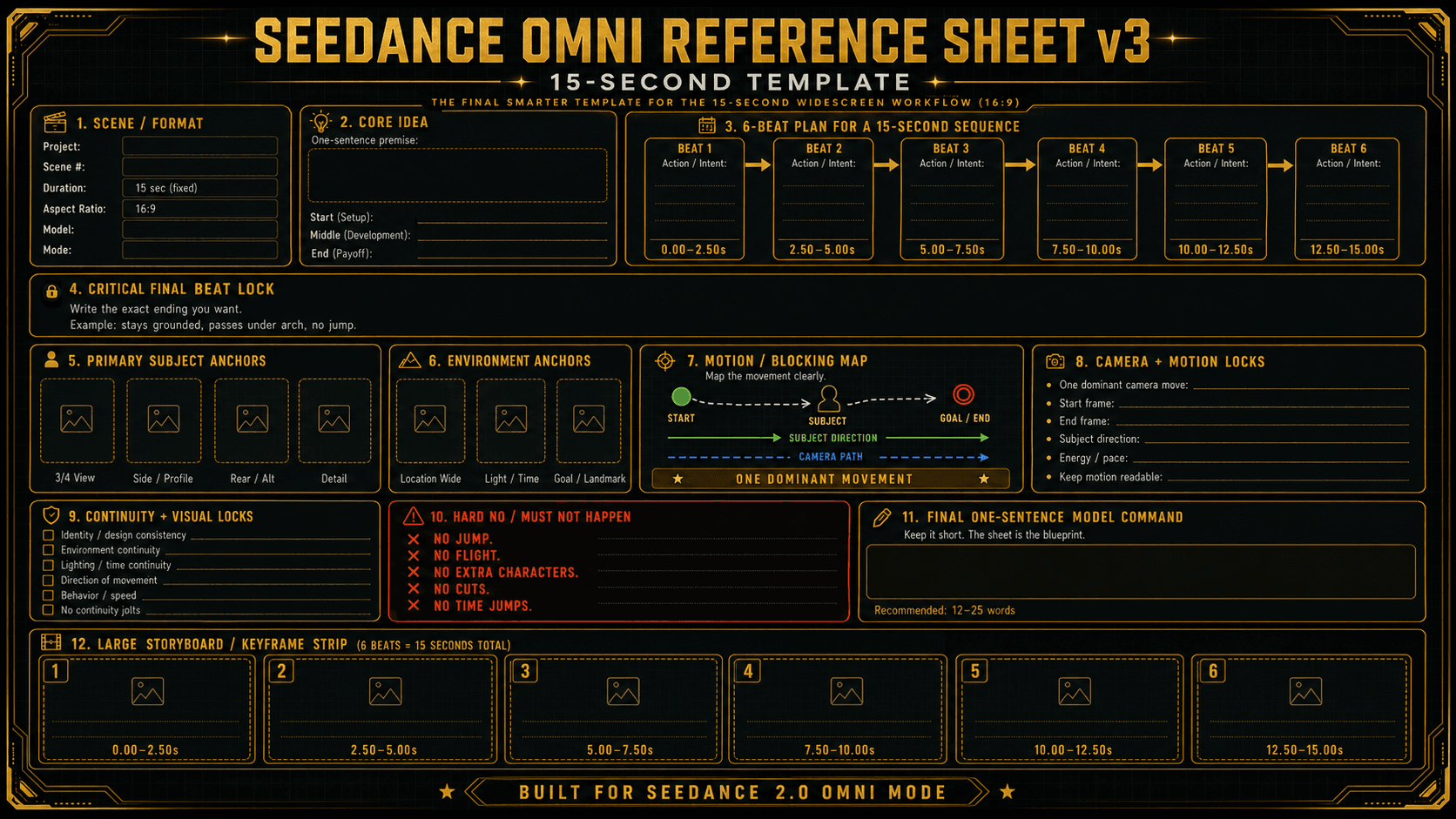
An Omni Reference Sheet is a single visual planning image that tells the video model what to make. Instead of relying on a long prompt, the sheet shows the subject, environment, timing, motion path, camera move, continuity locks, ending, and hard “do not” rules in one readable layout.
Visual blueprint
The model can see the plan instead of guessing from a paragraph.
Shorter prompt
The Seedance prompt simply tells the model to follow the sheet and references.
Better consistency
Strong anchors, beat timing, and hard NO rules reduce drift and surprises.
The simple workflow
1
Choose your template
Pick the duration and format: 5, 10, or 15 seconds; 16:9 or 9:16.
2
Attach it to ChatGPT or another image model
Attach the blank template, the matching instruction image, and any character, vehicle, location, or style references.
3
Describe your idea
Write a full scene idea or a rough partial idea. The image model turns it into a completed reference sheet.
4
Upload the completed sheet to Seedance
Upload the finished sheet and supporting references to Seedance / Dreamina Omni Mode.
5
Paste the master prompt
Use the general prompt at the bottom of this page. The sheet already contains the duration and plan.
6
Generate and refine
If the result is close, improve the sheet before making the prompt longer.
Choose the right template
Each duration includes a blank template and a matching “How to Use” instruction image.
Use for
- YouTube
- cinematic scenes
- vehicles
- wide environments
- landscape action


Which duration should you choose?
5 seconds
Use this when the idea is simple: one subject, one movement, one clear ending. Great for quick reveals, punchy actions, and tutorial examples.
10 seconds
The most flexible version. Use it when you need setup, action, climax, and payoff without making the scene too complex.
15 seconds
Use this when the scene needs more build-up. The six-beat storyboard strip matters most here.
What should you give the image model?
To create a completed sheet, attach the blank template and its matching instruction image. Then add any references you want the sheet to use.
character or subject images
vehicle or prop images
location references
lighting or mood references
style references
keyframes or stills from previous generations
The stronger your visual anchors are, the less the video model has to invent.
Prompt for ChatGPT, Nano Banana, Seedream, or another image model
Master Seedance prompt
Use this with any completed v3 reference sheet. You do not need to write the duration in the prompt because the sheet already contains it.
Short version
Use the longer version when the scene has important continuity rules or a critical ending. Use the shorter version when the completed sheet is already very clear.
What this method is good at
Turning rough ideas into visual plans
Helping Seedance understand scene structure
Maintaining a subject, environment, and motion direction
Making 5, 10, and 15-second clips easier to plan
Reducing random surprises
Teaching creators how to direct instead of just prompt
Honest expectations
This is a practical creator workflow, not a frame-perfect control rig. It gives Seedance a much better plan than a normal prompt, but the model can still interpret motion, timing, and details creatively. For most creators, that is the sweet spot: enough structure to stay coherent, enough flexibility for the video to come alive.
- Not frame-perfect
- Not a guarantee that every tiny label will be followed
- Best with clear images and simple motion
- Works better when the sheet is improved before the prompt is expanded
- Great for idea-to-video exploration, tutorials, social clips, and cinematic tests
Troubleshooting
Stop fighting the prompt. Start directing the scene.
The Omni Reference Sheet v3 system gives creators a simple way to plan AI video visually: choose a template, fill the sheet, upload it to Seedance, and generate.
5s, 10s, 15s — 16:9 & 9:16 — Ready to Fill